Visual System·The principles behind every facecam video produced for Stéphanie.
Cognitive psychology, neuroscience and core filmmaking laws translated into non-negotiable production rules. Followed rigorously to maximize retention, perceived quality and consistency across the entire content output.
Foundational Principles·Read this before anything else.
This page sets the foundations of every video produced for Stéphanie. The principles below are not stylistic preferences. They are non-negotiable rules that must be followed with the highest level of seriousness on every facecam video.
Each rule is rooted in cognitive psychology, neuroscience and core filmmaking laws. The way the human brain processes a screen, where the eyes naturally land, what kills attention, what builds trust. They are not opinions. They describe how viewers perceive a video.
Applied to a classic facecam shot, these principles cover almost the entire perceived quality of the final cut. They apply globally, with contextual judgment when the format shifts (B-roll, split-screen, motion design), but on every standard talking-head video they apply in full.
Following them with rigor guarantees consistent rendering quality across the entire content output, and maximizes the probability that each video performs at its full potential, both visually and on retention.
Typographic Architecture·Montserrat ExtraBold.
Single primary font, single weight: Montserrat ExtraBold. Used for every on-screen text element across the brand. No exceptions, no secondary display font, no italic variant. Consistency on type is what makes a feed look like one body of work instead of a folder of clips.
Subtitles burnés en Premiere Pro depuis fichier SRT importé, taille 71 (calque sous-titres standard).
Drop Shadow Preset·A single shared preset for every text layer.
The shadow gives subtitles legibility on any background (bright skin, B-roll, lighter rooms) without ever drifting into a stylistic effect. It must always be applied via the shared Premiere preset, never tweaked manually per shot.
Chromatic Palette·Three colors. Maximum contrast.
The on-screen text system uses one base color (off-white) and one accent color (teal vif). Off-white is the default for legibility inside the white card. Teal is the emphasis color — power words, key terms, punchline triggers. Navy is the reference for the brand canvas.
White Card Frame·The signature container for the hook and the CTA.
Two moments in every reel deserve a signature container — the textual hook at the start (0-3 sec), and the CTA at the outro if there is one. Both sit inside a soft white card on top of the facecam. The card is the most memorable visual asset of the brand. Use it sparingly and consistently.
- Trigger — textual hook (start of the reel) + CTA outro if present. Nothing else.
- Never in the body section. The middle of the video stays clean, only burned subtitles.
- Max one white card per frame. Two simultaneously break the rhythm.
#F9FAF9 · opacité 100%#003535 par défaut#2BBEAC teal · max 1-2 par carteLe mot qui porte le plus de poids dans le hook se met en #2BBEAC teal. C'est l'ancre visuelle qui attire l'œil. Max 1-2 mots teal par carte, jamais plus, sinon le contraste se dilue.
Exemples de mots à colorer (le verbe ou le mot qui fait basculer la phrase) :
- détruisent
- jamais
- impossible
- libre
- tout
Placement Topology·Where things sit on screen, and why it matters.
The next four rules govern placement. They control where the viewer's eyes go, how long they stay there, and how much friction the brain has to process the frame. Every rule below traces back to the Eye Trace effect.
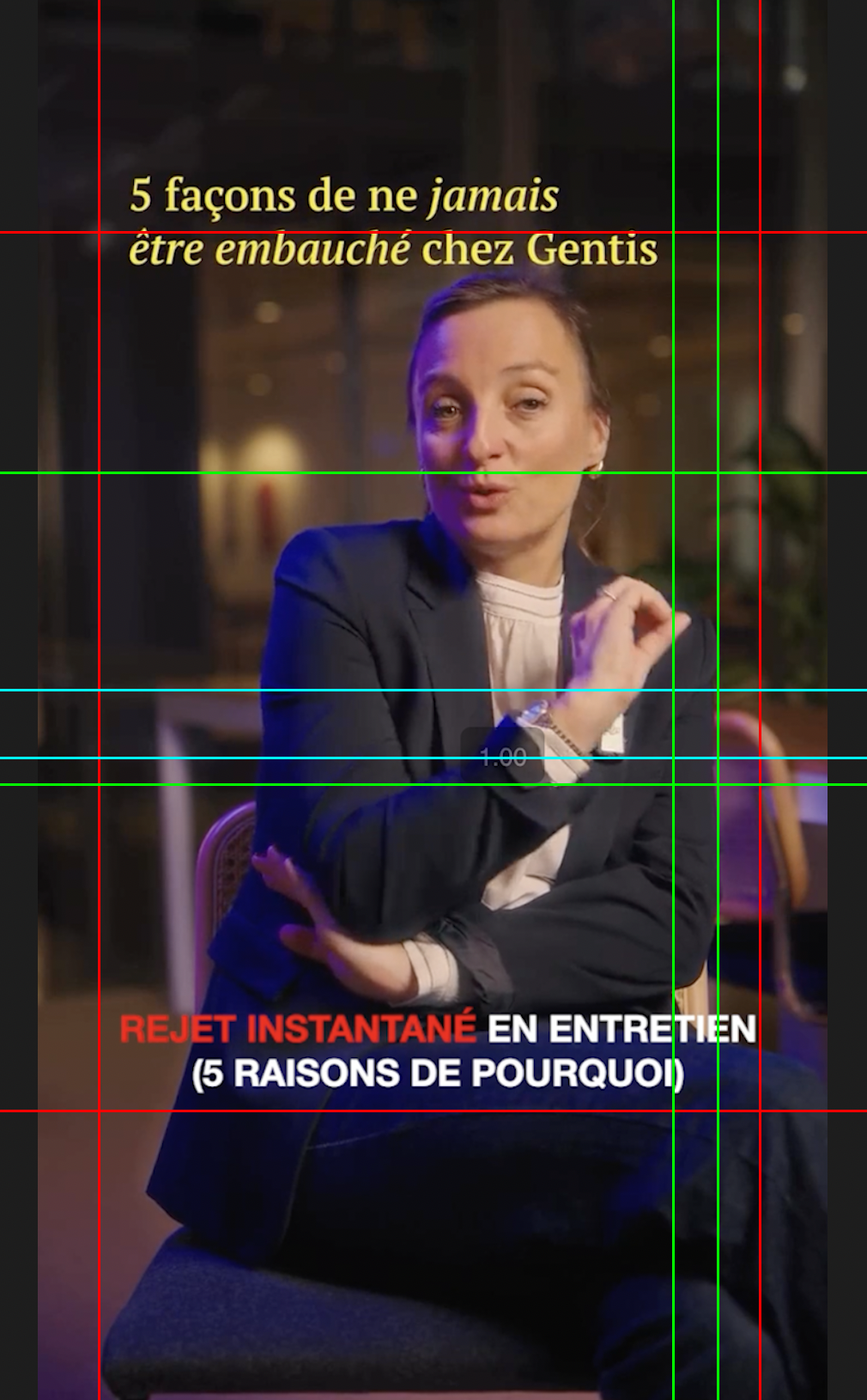
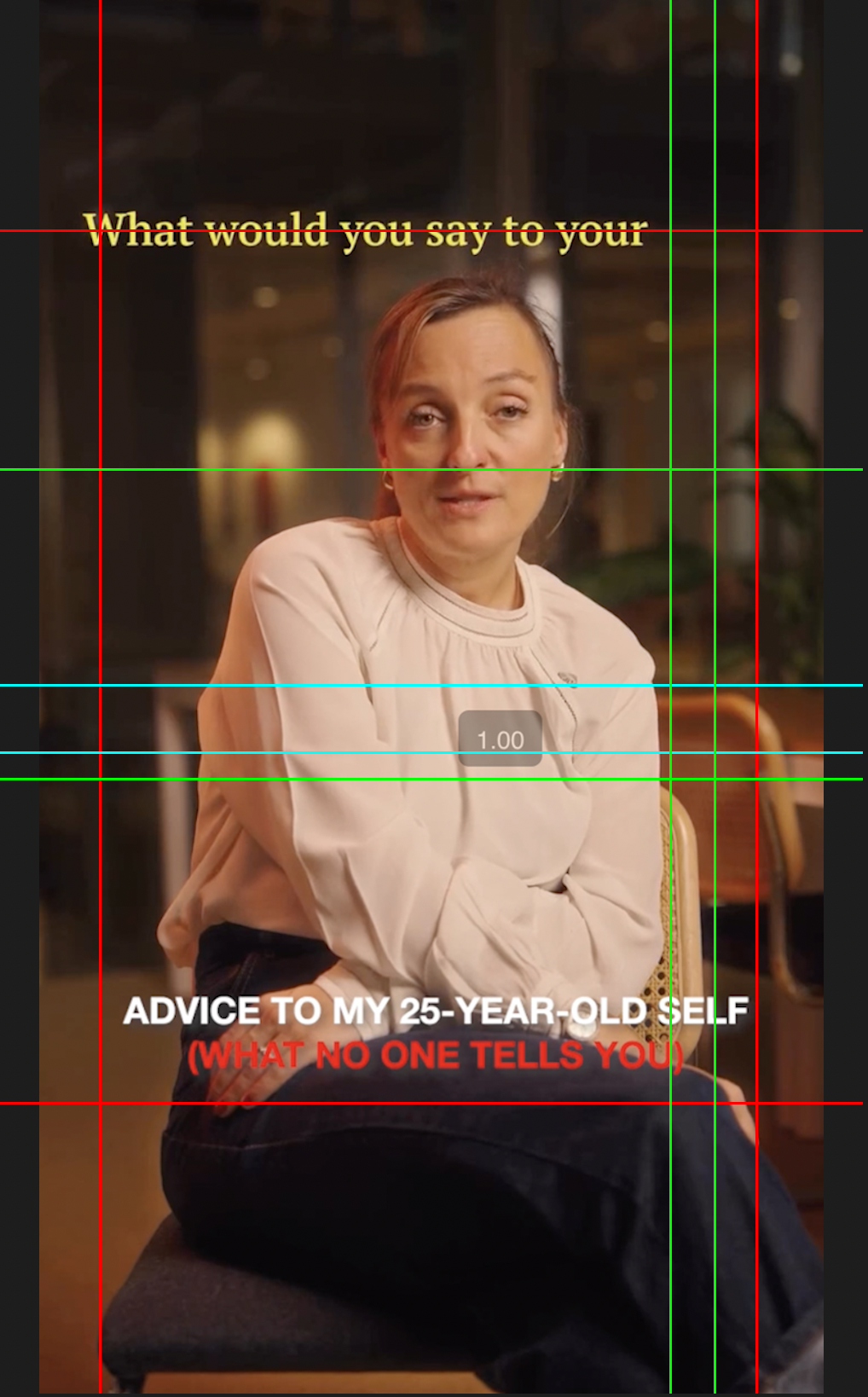
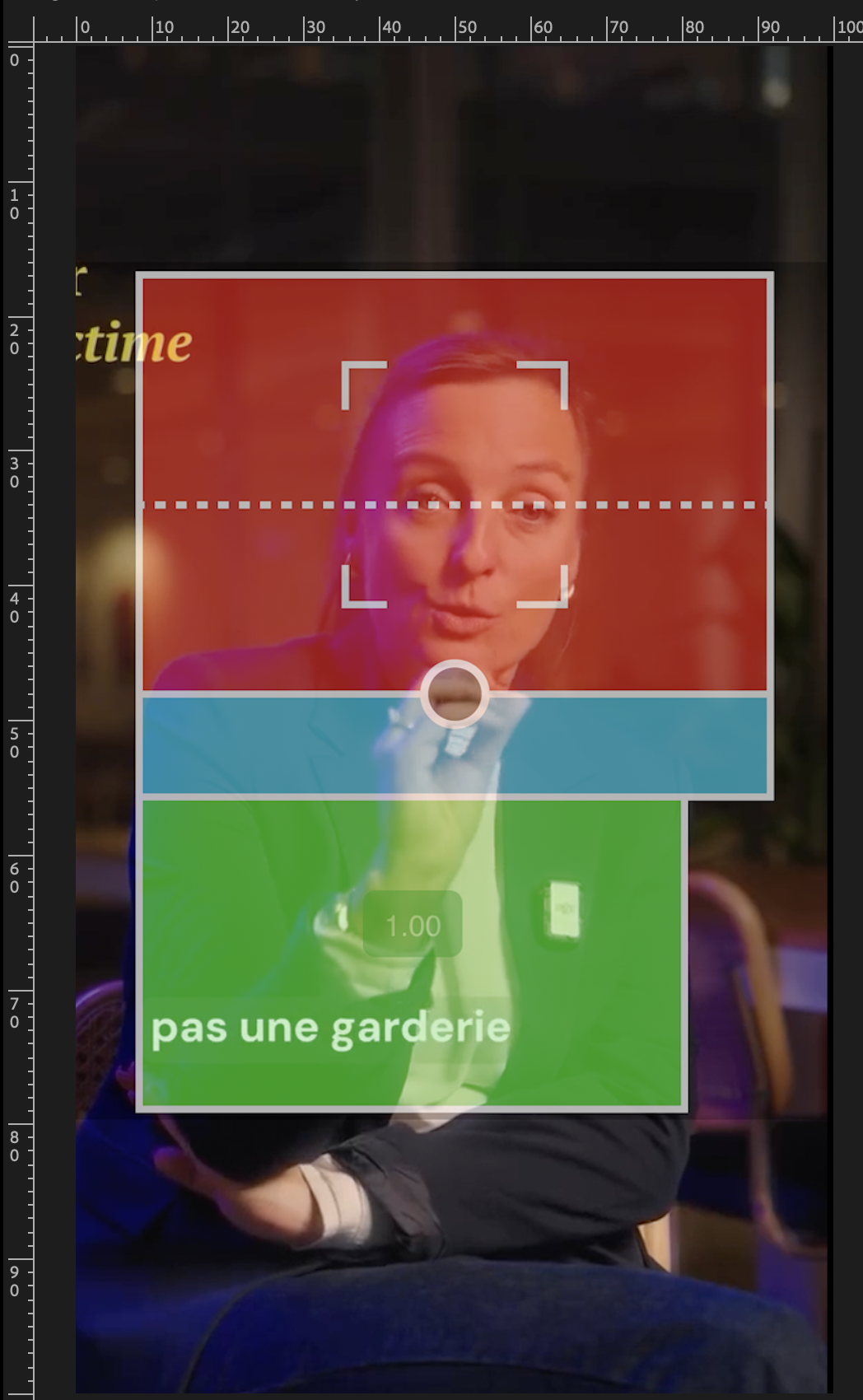
OST Doctrine·On-screen texts must live inside the safe zone.
Be careful with text placement. On the videos below, the texts on the top sit outside the safe zone (red line). They should always be inside.
Horizontal alignment: ultra centered, strict. No left-aligned text in this DA, ever.
Gaze Axis·Two alignments. One rule of thirds.
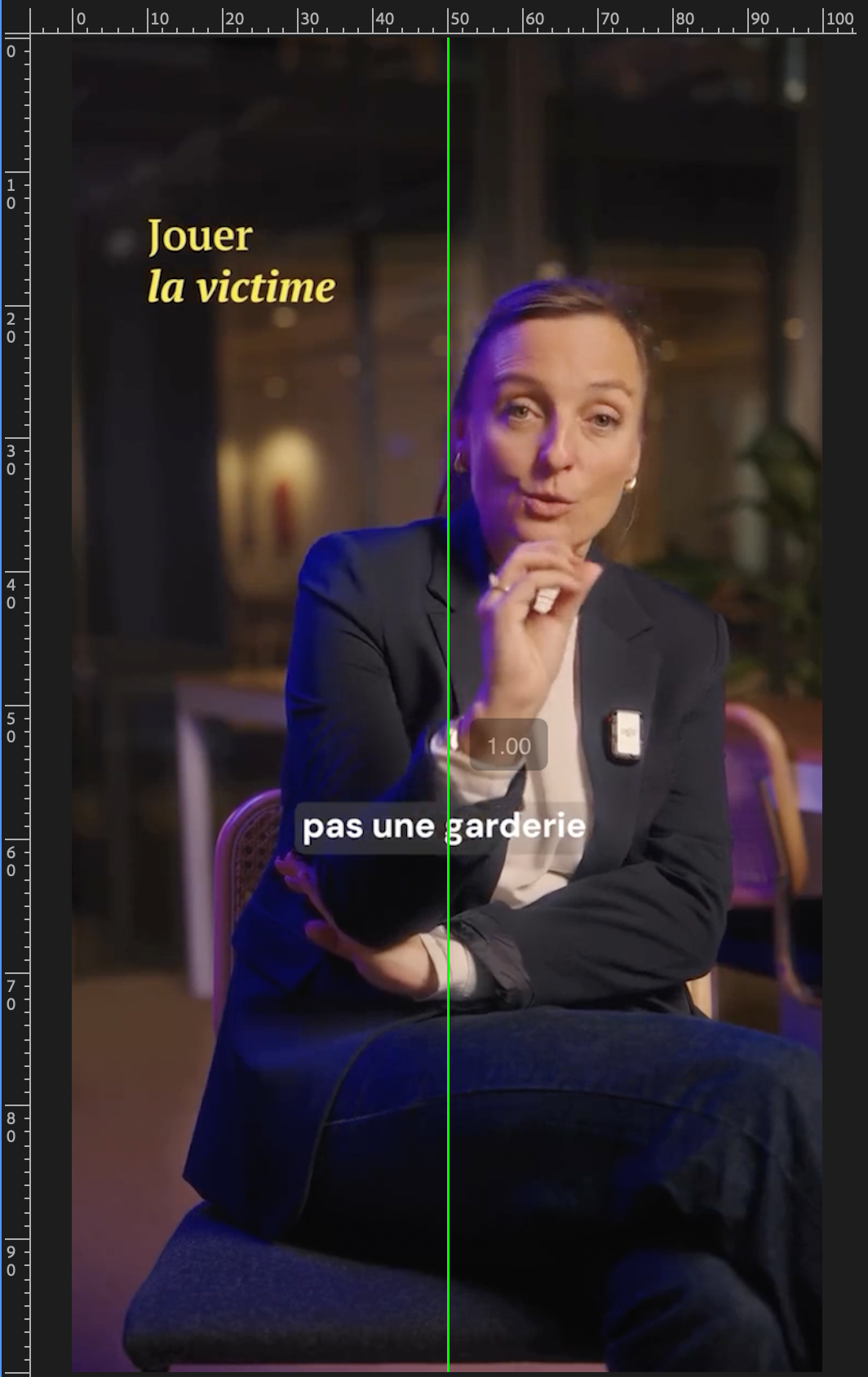
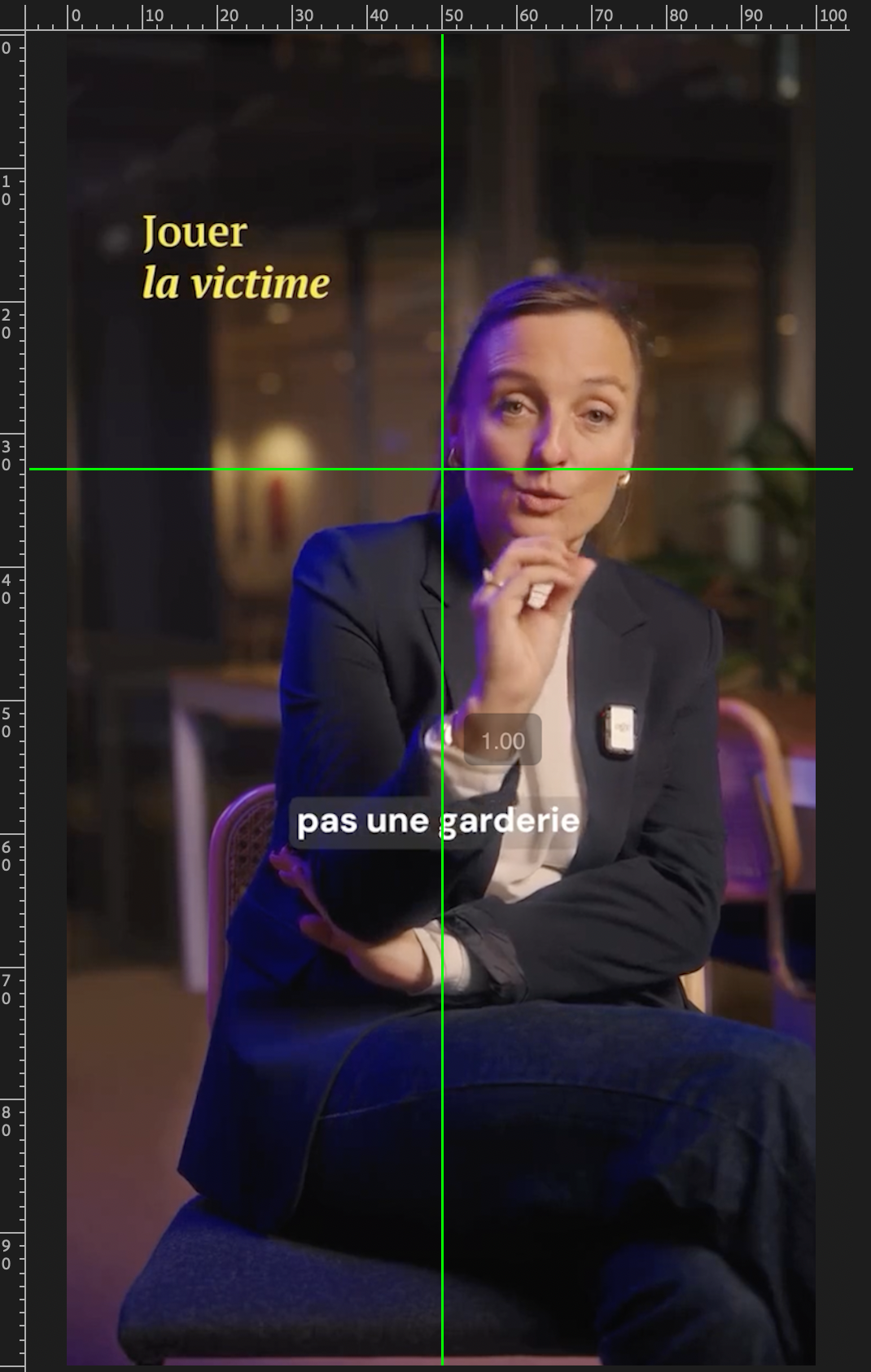
For the eye level, we aim for two things.
Good vertical alignment and good horizontal alignment, for the shot to look better.
You only have to follow the Premiere Pro guides.
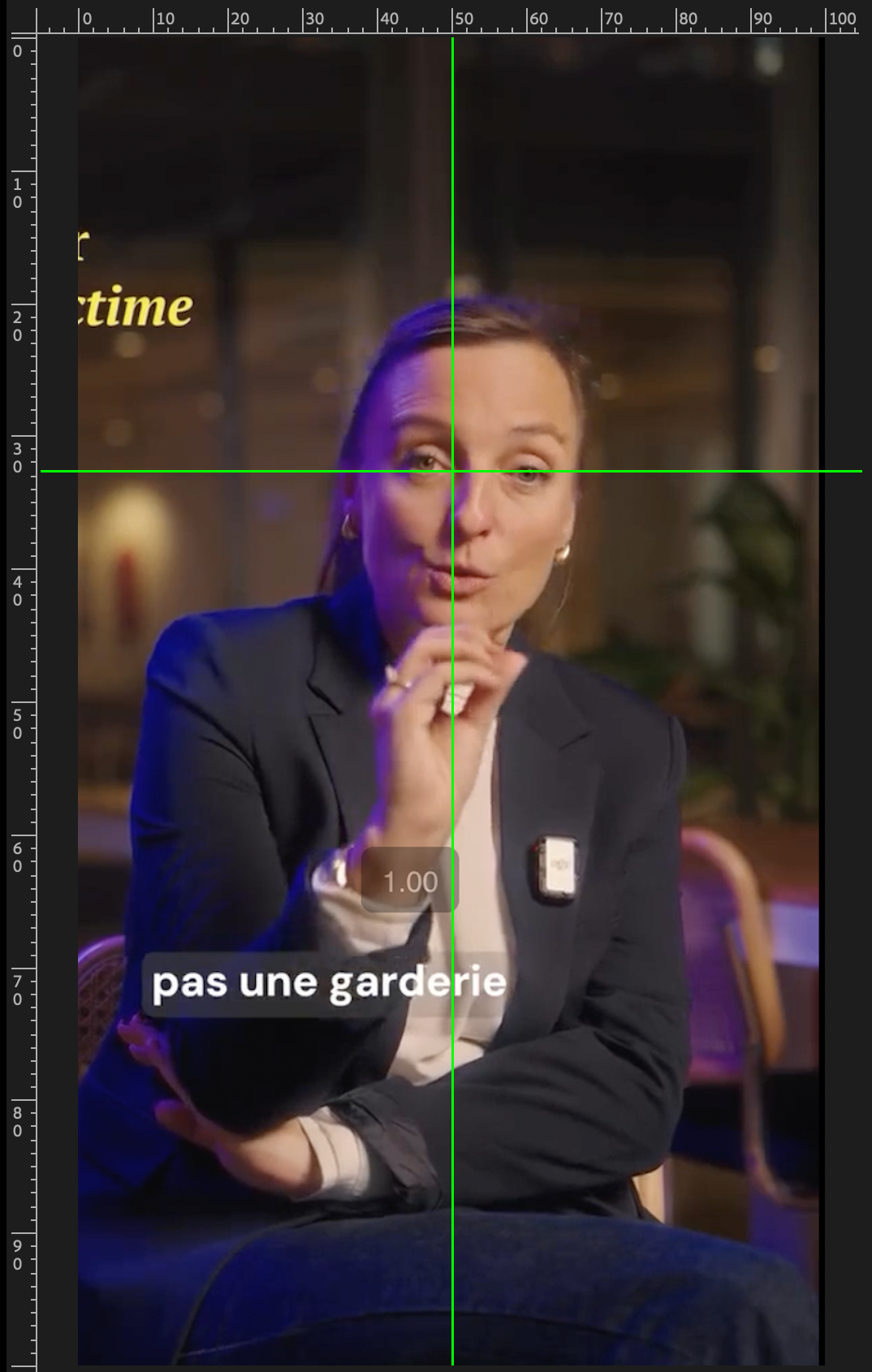
Zoom Geometry·Anchor point at the crossing point.
In the same way we want everything in a 50:30 ratio, the same rule applies to the zoom.
The best way to achieve that is to put your anchor point right in the middle of the crossing point.
When you add an instant zoom, everything stays perfectly placed.
Set it once, applies everywhere with no extra work.
It also kills the parasitic eye movement, where the viewer drags their gaze across the screen on every zoom.
Done right, the viewer's eye stays anchored. Retention compounds through the Eye Trace effect.
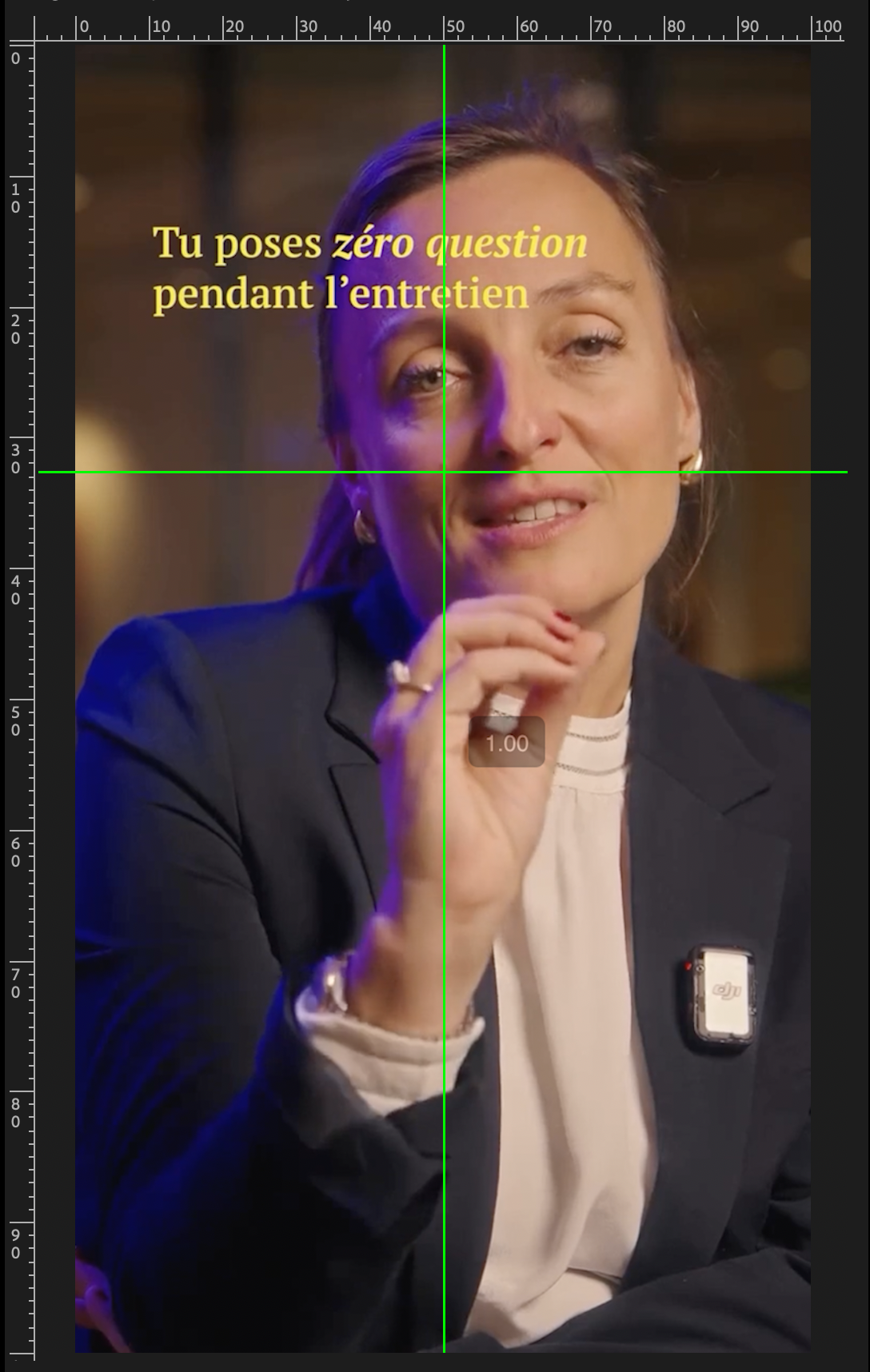
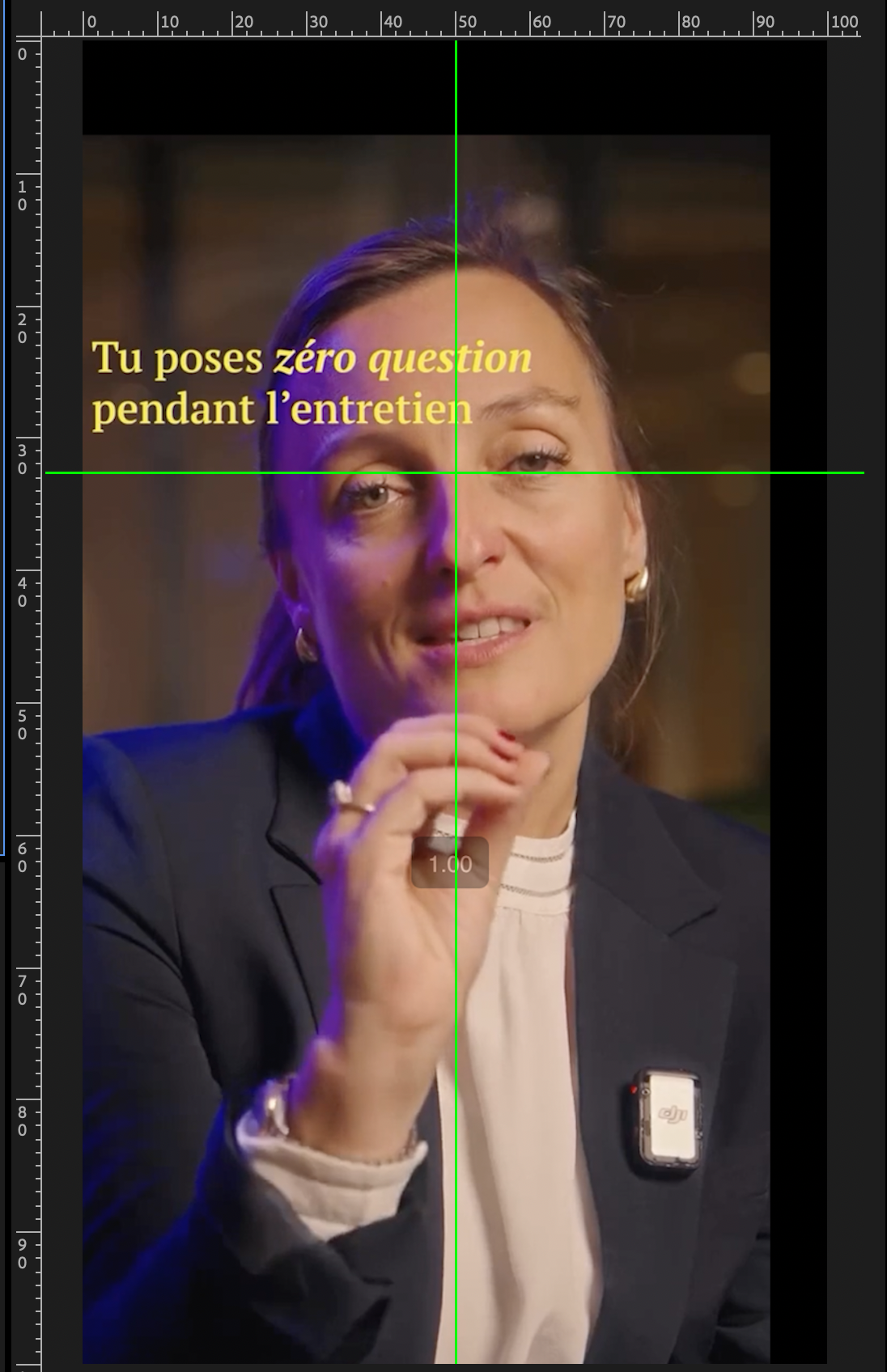
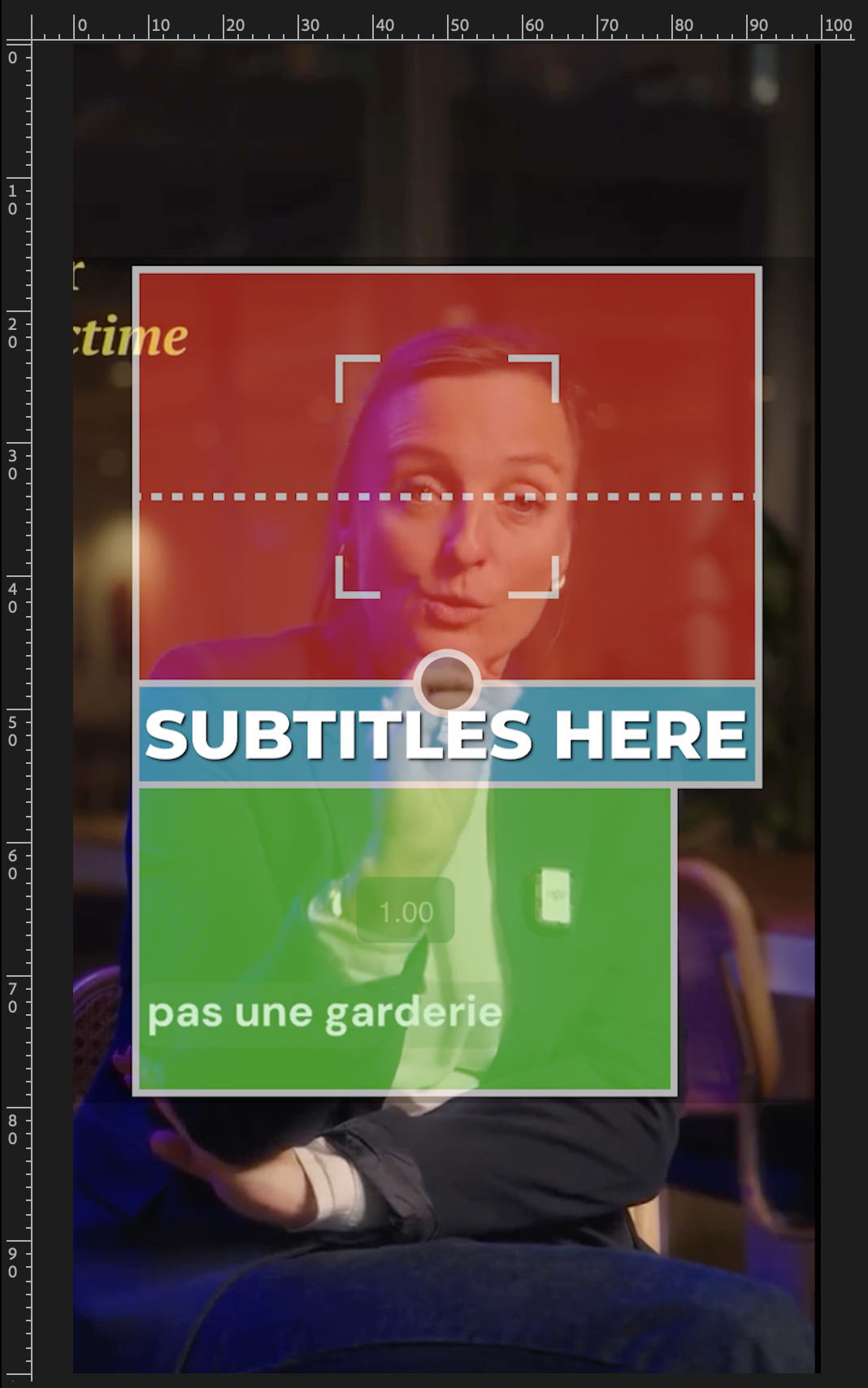
Subtitles Eye Coherence·Subtitles sit below the chin.
The same logic as Zoom Geometry. Every pixel that pulls the viewer's gaze off the speaker's eyes burns retention.
Subtitles must always sit below the chin. Never higher, never near the bottom of the frame.
Too high, they overlap the face and force the viewer to choose between reading and watching. Too low, the eye drags from the eyes down to the bottom and back up on every word, which kills the Eye Trace effect.
Placed right under the chin, the subtitles enter peripheral vision while the viewer stays locked on the eyes. Reading happens passively. No extra eye movement, no friction.
Same reward as the zoom rule. Higher retention through the Eye Trace effect, no extra work once the placement is locked in.
Subtitle size: 71 (Premiere Pro standard SRT import).
Hook & CTA Hierarchy·What lives where in a reel.
Three moments, three intents. Each one has a specific text rhythm.
- Hook (0-3 sec) — textual hook inside the white card, 3 lines max. Power words in teal. This is the make-or-break moment for retention.
- Body — burned subtitles only, no white card, no extra text overlay. Sometimes a single teaser textline (ex « e-book offert à la fin ») if it serves the narrative. Step indicators stay rare and contextual.
- Outro / CTA — illustrated CTA. Show the lead magnet, show the subscribe icon, show the action visually. Words alone underperform. Illustrate what you say.
SOPs differ per video type (educational, story, demo, list). The principles above apply across all of them, the execution adapts.